
Download WriteFastAI – AI‑Powered Writing Assistant for Chrome
Overview – Boost Your Writing Productivity
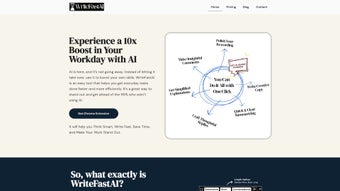
WriteFastAI is a powerful AI productivity tool that leverages the latest ChatGPT models to supercharge your daily writing tasks. Delivered as a lightweight Chrome extension, the app sits right inside your browser and offers a suite of intelligent helpers designed for professionals, marketers, students, and anyone who spends time crafting text. Whether you need to draft persuasive marketing copy, rewrite a confusing paragraph, summarize a long report, or generate thoughtful comments on social platforms, WriteFastAI provides instant, context‑aware suggestions that keep you focused and efficient.
The extension is built with privacy in mind: all data is processed locally in the browser, and no personal information is stored on external servers. Users simply provide their own OpenAI API key, ensuring full control over cost and data usage. WriteFastAI’s flexible prompt system lets you fine‑tune tone, length, and style, making it a truly customizable writing companion. From quick email replies to deep‑dive content outlines, the tool adapts to any workflow, helping you write faster, clearer, and more persuasively.
In a world where speed and clarity are prized, WriteFastAI positions itself as the go‑to Chrome extension for anyone who wants to streamline communication without sacrificing quality. Its blend of AI intelligence, privacy‑first architecture, and seamless browser integration makes it a standout choice for modern digital professionals.
Key Features That Set WriteFastAI Apart
- AI‑Generated Comments & Replies: Instantly craft insightful comments for forums, LinkedIn, YouTube, and other platforms with tone options ranging from formal to casual.
- Smart Rewording Tool: Transform awkward sentences into clear, concise prose while preserving original meaning.
- Rapid Message Drafting: Generate quick, context‑aware replies to emails or chat messages, reducing response time dramatically.
- Article & Report Summarizer: Condense long‑form content into bite‑size summaries that highlight key points, perfect for busy professionals.
- Complex Topic Breakdown: Ask the AI to explain difficult concepts in simple terms, making research and learning more accessible.
- Marketing Copy Generator: Produce persuasive ad copy, social media posts, and landing‑page headlines tailored to your brand voice.
- Custom Prompt Library: Save and reuse personalized prompts, enabling consistent tone and length across projects.
- Local Data Processing: All text is processed within the browser, guaranteeing that no content is sent to third‑party servers.
- OpenAI API Flexibility: Use your own API key to control usage costs and stay compliant with corporate policies.
- One‑Click Updates: The extension auto‑updates through the Chrome Web Store, ensuring you always have the latest AI improvements.
Each feature is designed to eliminate a specific friction point in the writing workflow. For instance, the summarizer saves hours that would otherwise be spent skimming lengthy documents, while the rewording tool helps non‑native speakers produce polished English text. Because the tool lives in Chrome, you can activate any feature with a simple right‑click or keyboard shortcut, keeping your hands on the keyboard and your mind on the message.
WriteFastAI also excels at scalability. Whether you are a solo freelancer handling a handful of client emails per day or a large marketing team producing dozens of posts weekly, the AI adapts to volume and complexity. The combination of customizable prompts and the ability to set token limits ensures you stay within budget while still receiving high‑quality output.
Installation, Setup & Daily Use – A Step‑by‑Step Guide
Getting WriteFastAI up and running is straightforward, even for users with limited technical experience. Follow these steps to install the extension, configure your OpenAI API key, and start leveraging AI in your browser.
1. Download & Install the Chrome Extension
- Open the Chrome Web Store and search for “WriteFastAI”.
- Click Add to Chrome and confirm the installation prompt.
- After installation, the WriteFastAI icon appears in the Chrome toolbar.
2. Obtain an OpenAI API Key
- Visit OpenAI’s API portal.
- Log in or create an account, then generate a new secret key.
- Copy the key; you’ll need it for the next step.
3. Configure the Extension
- Click the WriteFastAI toolbar icon and select “Settings”.
- Paste your OpenAI API key into the designated field.
- Adjust default token limits, temperature, and preferred tone (formal, friendly, technical, etc.).
- Save your settings; the extension is now ready to generate content.
4. Using WriteFastAI in Real‑World Scenarios
Once configured, you can invoke the AI in any text field:
- Right‑click inside a text box and choose “Generate Comment with WriteFastAI”.
- Use the keyboard shortcut (Ctrl + Shift + W by default) to open the prompt window instantly.
- Select a saved custom prompt to maintain brand voice across multiple posts.
All generated content appears directly in the active field, ready for you to edit or publish. Because processing happens locally, there’s no noticeable latency, and your data never leaves your machine.
Compatibility: WriteFastAI is built exclusively for Google Chrome on Windows, macOS, Linux, and Chrome OS. The extension works on any device that runs Chrome, including desktop and laptop computers. Mobile Chrome users can also install the extension, though the UI is optimized for larger screens.
Pros & Cons, Frequently Asked Questions, and Final Verdict
Pros
- Fast, AI‑driven content generation directly inside the browser.
- Privacy‑first design: all text stays on the client side.
- Highly customizable prompts for consistent brand tone.
- Broad feature set covering commenting, rewriting, summarizing, and marketing copy.
- One‑click updates through Chrome Web Store ensure you always have the latest improvements.
Cons
- Requires an active OpenAI API key, which incurs usage costs.
- Limited to Chrome; not available for Firefox, Edge, or Safari as a native extension.
- Advanced users may need to fine‑tune temperature and token settings for optimal output.
Frequently Asked Questions
Do I need to pay for WriteFastAI?
The extension itself is free to download from the Chrome Web Store. However, you must provide your own OpenAI API key, and OpenAI charges per token used. This means you only pay for the AI usage you actually generate.
Is my data stored on any server?
No. WriteFastAI processes all prompts locally in your browser. The extension never sends your raw text to external servers, ensuring complete privacy.
Can I use WriteFastAI on a Mac?
Absolutely. The extension runs on any operating system that supports Google Chrome, including macOS, Windows, Linux, and Chrome OS.
How do I create my own custom prompts?
Open the WriteFastAI settings panel, navigate to “Custom Prompts”, and click “Add New”. Enter a descriptive name, the prompt text (you can use placeholders like {{topic}}), and set default tone/length preferences. Save and the prompt will appear in the quick‑access menu.
Will the extension affect my browser performance?
WriteFastAI is lightweight and only activates when you invoke its UI. Because all AI calls happen via the OpenAI API and results are returned as plain text, the extension has minimal impact on CPU or memory usage.
Final Verdict – Should You Download WriteFastAI?
WriteFastAI delivers on its promise of accelerating writing tasks without compromising privacy. Its seamless Chrome integration, robust feature list, and customizable AI prompts make it a valuable addition to any professional’s toolkit. While the need for an OpenAI API key introduces a modest cost, the flexibility and time savings far outweigh the expense for most users. If you spend a significant portion of your day drafting, editing, or summarizing text, this extension is a worthwhile investment.
Ready to experience faster, clearer writing? Download WriteFastAI now and start transforming your workflow today.






